









How do you Perform Mobile App Penetration Testing in Singapore?
Mobile application penetration testing can be performed by following a systematic six-step approach—scoping, environment preparation, static and dynamic analysis, exploitation, and extensive reporting.
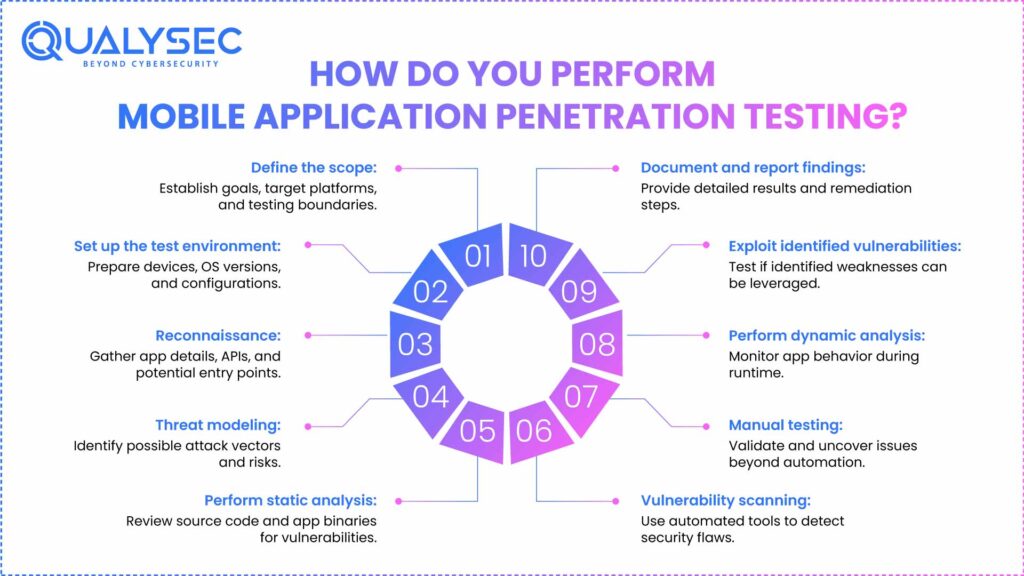
Mobile application security testing requires the following steps:
1. Define the scope
Scope is defined by the platforms (iOS, Android), app elements to be examined, access level (blackbox, greybox, whitebox), and compliance objectives. This guarantees the exam meets both legal and corporate standards.
Read Also: iOS vs Android Security: Which Is More Secure?
2. Set up the test environment
Configuration covers physical devices or emulators, proxy tools such as Burp Suite, and debugging environments. A controlled environment guarantees the repeatability and reliability of tests.
3. Reconnaissance
Testers learn about the technologies, platforms, and features of the application. This shapes the testing plan and helps to find prospective entrance points.
4. Threat modeling
Based on the acquired information, testers construct a threat model defining possible threat vectors. This aids in setting priorities for the areas under greatest risk.
Explore our Mobile App Security threats Modeling- A Complete Guide
5. Perform static analysis
Without running the app, static analysis examines decompiled binaries or source code for hardcoded passwords, unsafe API keys, or logical faults.
6. Vulnerability scanning
The app is examined for known vulnerabilities using automated tools. Weak encryption, unsafe storage, or compromised authentication are among the problems vulnerability scans point out.
7. Manual testing
Expert testers look over the program manually to discover further, logic-based flaws. This stage exposes problems sometimes overlooked by automatic tools.
8. Perform dynamic analysis
Dynamic analysis exposes live flaws by running the program in real-time to see how it reacts under varied user actions and network conditions.
9. Exploit identified vulnerabilities
Exploitation helps one to understand the consequences by means of safe simulation of real-world threats, such as session hijacking, insecure data transfer, or API abuse.
10. Document and report findings
The last phase offers a thorough report including risk ratings, CVSS scores, technical impact, and custom remediation actions.
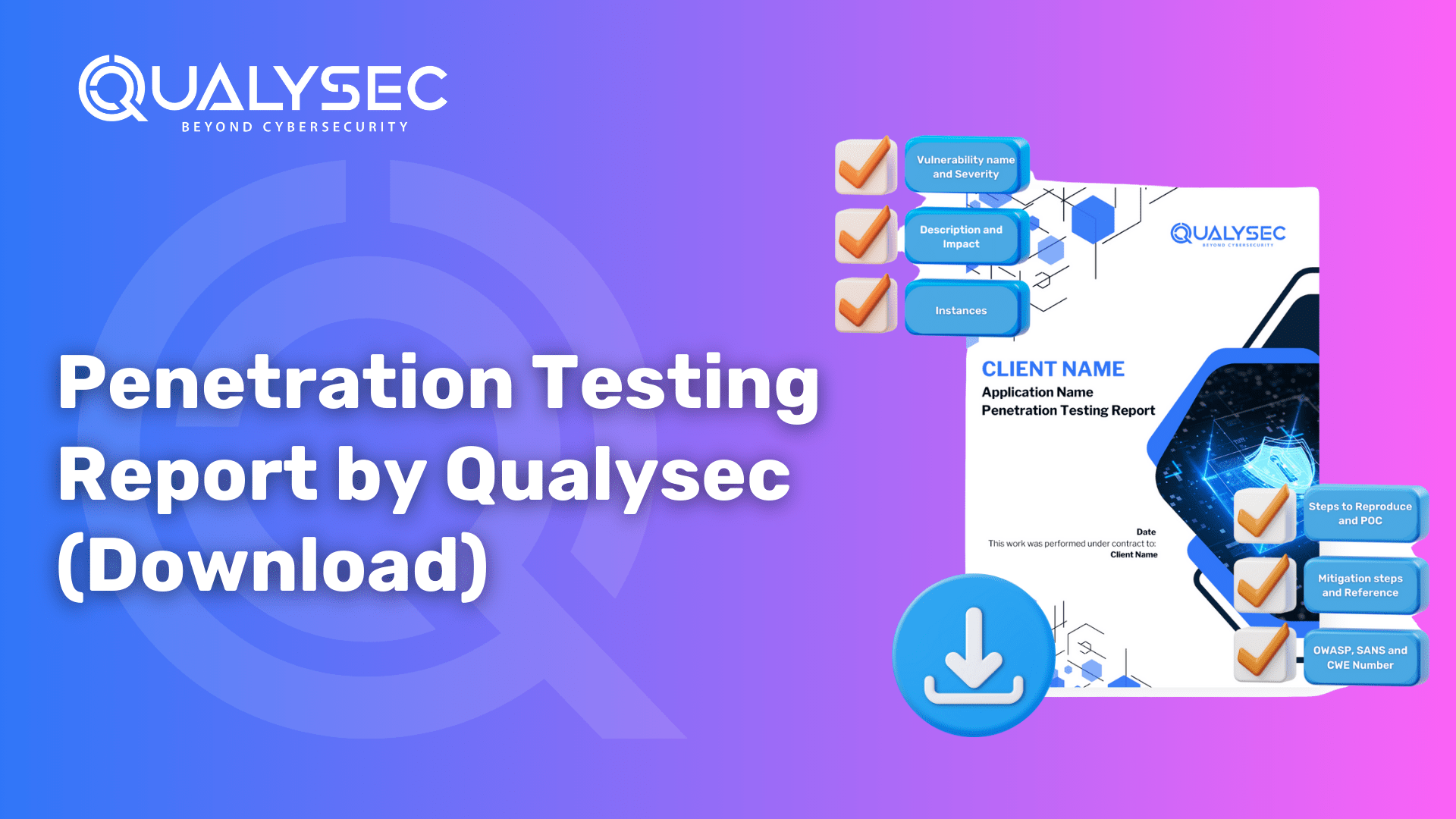
Download our Sample Penetration Testing Report to understand how vulnerabilities are reported and mitigated.

What are the Top 5 Mobile App Vulnerabilities to Consider in Singapore?
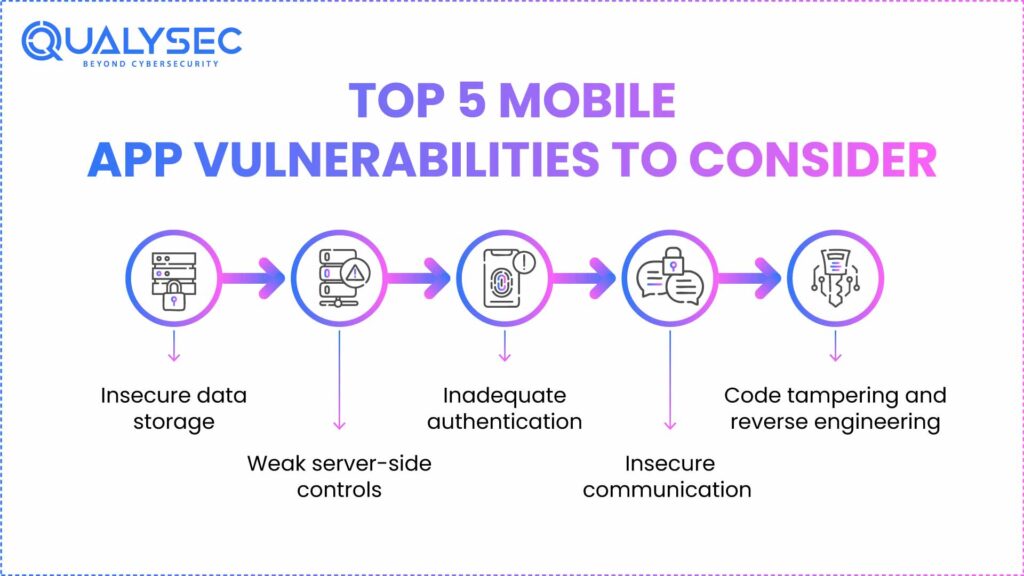
Insecure data storage, bad server-side controls, insufficient authentication, insecure communication, and code tampering are the top five mobile app vulnerabilities to watch for. Every one of these poses severe compliance and security concerns.
1. Insecure data storage
Poor data storage causes theft of financial information, application secrets, and PII. More than 76% of mobile apps have at least one configuration that could reveal confidential information.
2. Weak server-side controls
Weak APIs can be used to carry out an SQL injection attack and IDOR, which are issues on the server-side. These enable hackers to get unauthorized information and tamper with backend responses.
3. Inadequate authentication
Authentication flaws lead consumers to credential stuffing and session hijacking. Mobile app VAPT verifies for brute-force protection, MFA, and token management.
4. Insecure communication
Man-in-the-middle (MITM) threats result from a lack of encryption in network layers. Penetration testing confirms that SSL/TLS usage and pinning are in place.
5. Code tampering and reverse engineering
Reverse engineering and tampering let hackers construct backdoors or malicious duplicates. Important weapons of defense are runtime protection and obfuscation.
Must Read: Top 20 Mobile Application Security Companies in Singapor
Mobilе App Pеnеtration Tеsting and Compliancе in Singaporе
Whеn pеrforming mobilе app pеnеtration tеsting in Singaporе, it’s not only about idеntifying vulnеrabilitiеs but also еnsuring compliancе with thе country’s rеgulatory standards. Organizations opеrating in Singaporе must align thеir applications with framеworks such as:
- Pеrsonal Data Protеction Act (PDPA): Mobilе apps handling pеrsonal or financial data must comply with PDPA guidеlinеs to safеguard usеr privacy and prеvеnt data misusе. Pеnеtration tеsting hеlps vеrify whеthеr your app sеcurеly managеs pеrsonal information and prеvеnts unauthorizеd accеss.
- Cybеrsеcurity Act (CSA): Critical Information Infrastructurе (CII) providеrs arе rеquirеd to maintain a strong sеcurity posturе. Rеgular pеnеtration tеsting is еncouragеd to dеtеct vulnеrabilitiеs that could impact national or sеctoral systеms.
- Monеtary Authority of Singaporе (MAS) Guidеlinеs: For financial institutions, thе MAS Tеchnology Risk Managеmеnt (TRM) Guidеlinеs highlight thе importancе of rеgular sеcurity assеssmеnts, including pеnеtration tеsting, to protеct banking and financial apps from cybеr thrеats.
By intеgrating mobilе app pеnеtration tеsting into your sеcurity program, you not only rеducе thе risk of brеachеs but also dеmonstratе compliancе with Singaporе’s strict rеgulatory еnvironmеnt. This is еspеcially important for businеssеs in financе, hеalthcarе, and е-commеrcе, whеrе trust and data protеction arе critical.
How Qualysec Cyber Security Can Help
Tailored for iOS applications pentesting and Android application pentesting, Qualysec offers CREST-certified mobile application penetration testing. Using a mix of strong manual Testing reveals underlying problems in data processing, API communication, and application logic with Qualysec.
Real-time dashboards, zero-disruption testing, and complimentary retesting will all help you address the vulnerabilities at the earliest. Our service is compatible with frameworks including NCA and SAMA and ideal for controlled industries like banking, healthcare, and smart cities.
Get a Free Consultation with Qualysec on mobile app penetration testing.
Conclusion
Safeguarding your app from possible flaws that hackers could take advantage of depends on mobile app penetration testing. Knowing the many vulnerabilities mobile apps are open to, including poor input validation, unsafe data storage, and bad communication, will help you to give security measures top priority throughout development.
Furthermore, this type of testing ought to use a thorough method, looking at five main variables: code, architecture, data storage, network connectivity, and authentication techniques employing static and architectural review, dynamic analysis, and even simulated threats.
Maintaining user trust, guaranteeing data security rule compliance, and aiding in safeguarding user information are all included here. Therefore, even if the price changes, the possible results of a data breach far exceed the expenditures.
Don’t leave your app’s security to chance. Contact our team of certified penetration testers for a professional mobile app security audit.

FAQ
1. What is mobile app penetration testing?
Mobile app penetration testing is a simulated attack performed on mobile apps to discover and document security flaws, vulnerabilities, or risks that could be exploited by real attackers.
2. What are the 5 types of penetration tests?
The five types of penetration tests are: network penetration testing, web application penetration testing, wireless penetration testing, social engineering testing, and physical penetration testing.
3. What are the 7 steps of penetration testing?
The seven steps of penetration testing are: pre-engagement, information gathering, threat modeling, vulnerability analysis, exploitation, post-exploitation, and reporting.
4. What is application penetration testing?
Application penetration testing entails evaluating an application to identify and mitigate the security vulnerabilities that might lead to a data breach, achieve software compliance, and aid in preparing for a financial cyberattack.
Have any questions? Feel free to ask now—our cybersecurity experts are here to help.








































































































































































































































































































































0 Comments