

In 2025, a single insecure Android app can unravel a startup faster than one can ever imagine. Imagine a fintech app exposing customer data via unencrypted logs due to its sideloaded APK, which was meant for quick beta testing. The results? Disastrous. User data, including sensitive details, is all accessible via a simple logcat extraction. This explains why Android application security is the need of the hour.
While this news doesn’t always make the headlines or go viral, it doesn’t mean that businesses don’t suffer. Of course, it does!
Whether you’re building a mobile wallet or the best security app for Android, the threats to Android application security are becoming more complex than ever. Sideloaded apps, malicious SDKs, broken APIs, and zero-day exploits are only some of the potential causes of breaches.
That is why focusing on Android application security through methods like Android Penetration Testing is no longer optional. Your business simply cannot afford to sidestep it.
In this guide, we provide a detailed breakdown of why Android application security is crucial, identify common threats, and explore how to leverage this knowledge to combat them.
Why Android Application Security Demands Your Attention in 2026
If your business relies on mobile app development services, security is no longer just a developer checklist. It has to become an integral part of your product strategy.
Wondering what one poorly secured app can do?
Take a look here:
- Data breaches and legal exposure under various laws.
- Google Play Store rejections due to permission overreach or weak security practices
- Break in brand trust among customers and investors. This is especially applicable to the finance and healthcare industries.
- Operational downtime due to API abuse, app clones, etc.
In 2025, attackers have become smarter than ever. For instance, new malware strains like DogeRAT and RainMaker are bypassing traditional security checks even on the best security and privacy apps for Android. On the other hand, malicious attackers are no longer satisfied with targeting the backend alone. They are now actively targeting APIs and client-side logic.
That is exactly why investing in reliable and effective Android application security is important in 2026. You need to ensure your app is secured from Day One!
” Get your app tested with Android Application Penetration Testing by Qualysec today! “
Top Threats to Android Apps in 2025
Tools, attacks, and the threat landscape have evolved significantly in recent times. Combine that with Android’s open nature, and you can understand why opting for Android application security is essential.
Here are the top threats you need to be careful about while handling Android apps in 2025:
1. Insecure Data Storage
Despite multiple warnings and breaches, storing sensitive data like session tokens, login credentials, or user IDs in plain text is still common. Can you imagine what will happen if attackers can gain access to a rooted device on the best Android security app? Exposed data in shared preferences or external storage can ruin brand reputation instantly.
2. Malicious SDKs
Developers often integrate third-party SDKs for push notifications, analytics, or ad monetization without reviewing their security hygiene. Nowadays, new variants of spyware are being distributed via SDKs embedded in utility apps and games. That gives them full access to device logs, clipboard data, and keystrokes.
3. Dynamic Code Loading
Apps that fetch and execute code at runtime are generally risky. Attackers can hijack update functions or inject rogue logic via manipulated payloads.
4. API Abuse
Nowadays, most Android apps rely on backend APIs. But poorly protected endpoints are prime targets for attackers. They can scrape data, manipulate app logic, and even automate purchases if endpoints aren’t secured.
“Read our related blog on Mobile Security Threats to stay informed and secure.”
A Layered Approach To Android Application Security
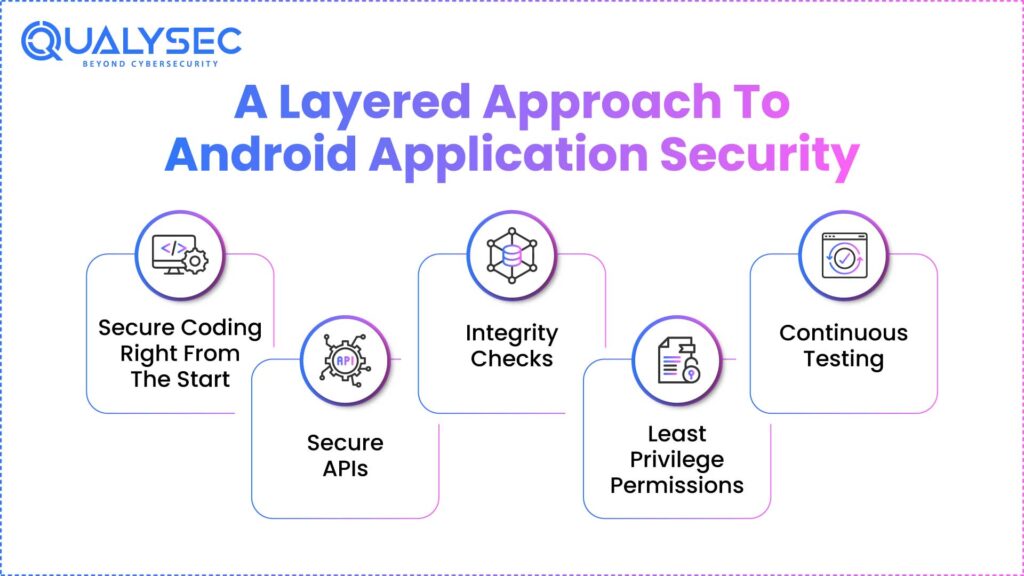
Knowing the threats doesn’t solve the problem. You need to actively prevent them from building trust. In 2026, Android application security has moved ahead of antivirus and app signing.
With the best mobile app security testing solutions, here is how you may improve the security of your Android application:
1. Secure Coding Right From The Start
It is critical to ensure that the code is secure right from the beginning. To reach this, you should cut permission requests and use encrypted shared preferences. Other comparable adjustments include disabling JavaScript if not required and managing URL loading.
2. Secure APIs
Explore various methods to secure APIs in a mobile security app for Android. For example, opt for authentication headers for every endpoint, implement rate limiting, and other security measures. Also, be careful not to expose debug APIs in production.
3. Integrity Checks
It is important to use different tools to maintain app integrity. This prevents reverse engineering and tampering attempts.
4. Least Privilege Permissions
Users do not trust apps that ask for permissions for everything. Don’t overreach users’ trust with your app. Ask only what is absolutely needed. Overpermissioned apps trigger store reviews and uninstall rates.
5. Continuous Testing
Combine Static Application Security Testing (SAST), Dynamic Application Security Testing (DAST), and manual penetration testing to ensure nothing is missed.
Pentesting for Android Apps
Application Security testing tools can scan, but they cannot chain vulnerabilities or outsmart a logic flow. In this scenario, Android application penetration testing comes to the rescue. It is your app’s real defender.
Let us next clarify the nature of Android application pen testing. It is the procedure of simulating real-world attacks on your Android application. This helps to reveal weaknesses before an actual attack does.
This generally involves:
- Reverse-engineering the APK
- Analysing app behaviour on rooted and non-rooted devices
- Manually manipulating API calls
- Testing business logic, token expiry, and privilege escalation paths
- Validating third-party SDK risks
“See the key differences between iOS and Android security.”
How Qualysec Helps In Securing Your Android App
Every Android app has a unique attack surface. Testing it with general tools or checklists just leaves doors wide open.
At Qualysec, our testing approach is hybrid, combining manual testing with automated scanners. We understand that all risks are different. They are platform-specific, user-specific, and market-specific. That is how we ensure you can release the best mobile protection app on the market.
“Explore our latest blog to learn step-by-step how to perform a mobile application security assessment effectively.”
Conclusion
Android Application Security: If you’re building or managing an Android app, you can’t put off security after the release. It’s not something you do after you’ve launched the app or after a breach has happened. Recognizing the actual danger and acting right away to reduce these quantifiable hazards is very important.. And that is what Android application security provides. If you are ready to enhance the security of your Android app, Qualysec is an ideal choice.

FAQs:
1. What is Android app security?
Android app security encompasses the strategies and best practices used to protect Android applications from various threats. These may include data breaches, code tampering, reverse engineering, and unauthorized access.
2. What is a sandbox in Android security?
A sandbox is a security mechanism that isolates each app’s data and execution environment from other apps and system processes. It ensures the confinement of code execution, blocking of unauthorised interactions, etc.
3. What are the most common security threats in Android applications?
The most common security threats in Android applications include insecure data storage, exposed APIs, corrupt third-party SDKs, and dynamic code loading that is vulnerable to injection.
4. How does Android application security work?
Android application security works by applying multiple layers of protection across the app’s lifecycle.
- During development: secure coding, minimal permissions, encrypted storage
- During build: code obfuscation, signing, and integrity validation
- Before release: SAST, DAST, and manual penetration testing
- After deployment: continuous monitoring, patching, and user behaviour analytics