









Key features of Android security
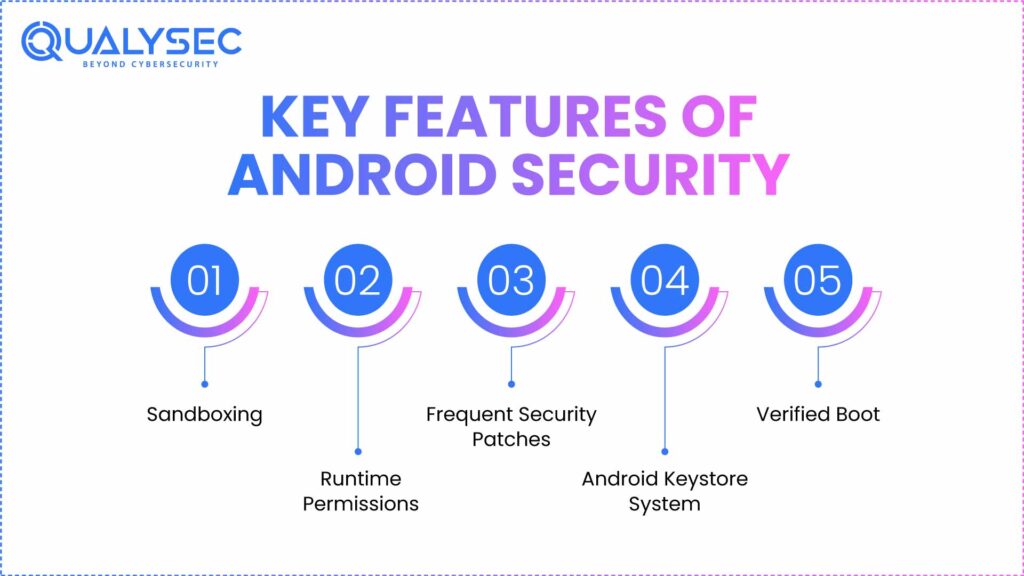
Android comes with built-in mobile device security features that provide a solid foundation for app protection. The key features of the best security for Android include:
- Sandboxing: The apps are executed in their own environment, thus other apps’ data is not accessed unauthorizedly.
- Runtime permissions: Sensitive permissions (such as camera or location) have to be requested by the apps upon their use, so users are granted greater control.
- Frequent security patches: Google and device manufacturers update the known vulnerabilities, making them less exposed.
- Android Keystore system: Secures cryptographic keys, ensuring they never leave secure hardware.
- Verified Boot: Denies boot loaders with tampered or malicious code that can be used to modify the device to allow alterations to the standard software.
Challenges in Android security
Android apps are not easy to secure despite the strong OS-level protection. Businesses and developers are subject to several challenges that keep arising when dealing with mobile app security:
- Fragmentation of devices and operating systems: Android has hundreds of manufacturers and versions, which are being utilized, and it is not simple to maintain identical security patches.
- Third-party libraries and SDKs: There are many applications that use third-party code. Those dependencies that are obsolete or malicious can be exploited by attackers.
- Reverse engineering threats: Attackers can reverse APKs and reveal secrets, disclose business logic, or manipulate the application.
- Balancing usability and security: Severe security controls can make users’ lives more difficult, and developers may make decisions to reduce security to make their lives easier.
- Quick release cycles: When there is a push to get features out the door, security checks are done in a hurry or not at all.
Explore the Qualysec Dashboard and talk to our experts about enhancing your Android security.
6 best practices for Android security
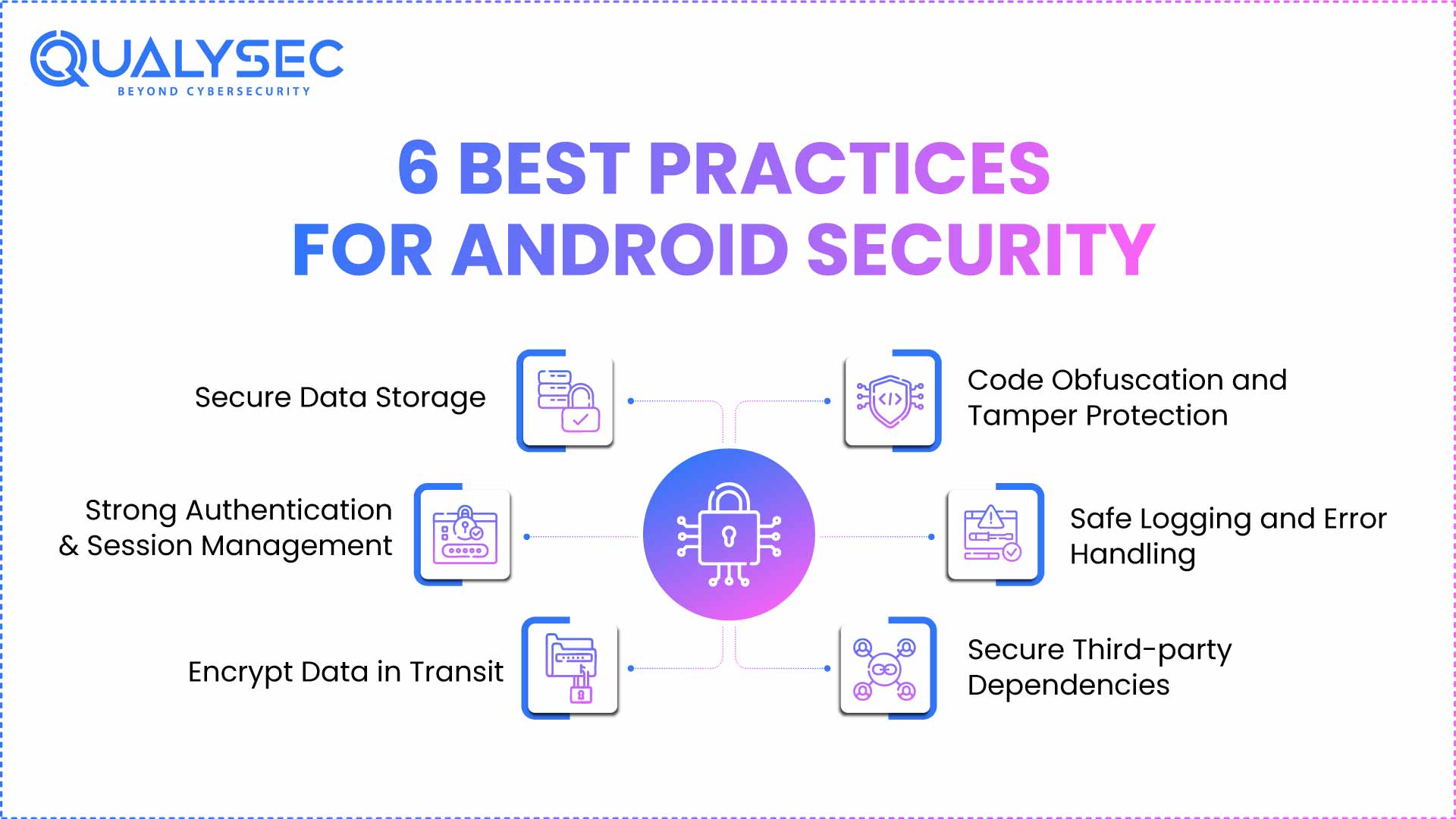
Adopting Android Security Best Practices is an excellent way to keep the device or app safe and secure. Take a look at these tips to maintain the Android phone security listed here –
1. Secure Data Storage
Sensitive information such as tokens, passwords, and even personal identifiers should never be stored in plain text. Android has given us options to safely handle credentials and keys, including the Keystore system and the EncryptedSharedPreferences. These features allow the developers to guarantee the safety of the stored information and reduce the possibility of exposure in case a lost or hacked device.
2. Strong Authentication and Session Management
Authentication vulnerabilities are still one of the largest security threats to Android apps. The use of OAuth or JWT to identify an individual with the help of tokens allows standardization of security. Turn on multi-factor authentication (MFA) or biometric login where sensitive data is processed as a measure of enhanced safety. Guard sessions closely – implement time-outs, token renewal provisions, and invalidation on logout to ensure the best security for Android.
3. Encrypt Data in Transit
All data that is transmitted between the app and servers should be encrypted. It would involve the enforcement of HTTPS/TLS connections and setting the Network Security Config of Android to block insecure traffic. Where feasible, implement the use of the pinning of the SSL/TLS to protect against the man-in-the-middle attack. These are necessary to make sure that sensitive information is not intercepted or modified during transit through networks.
4. Code Obfuscation and Tamper Protection
Android applications are not hard to reverse engineer, and thus, it is necessary to safeguard the code. The use of ProGuard or R8 to obfuscate the source code makes logic decompiling and analysis more difficult. The other defensive technique that developers can incorporate to prevent cloning of apps or other illegal manipulations is tamper-detection, root-detection, or anti-debugging. Addressing OWASP mobile top 10 Vulnerabilities enhances security.
5. Safe Logging and Error Handling
Logs prove useful in debugging, and are also dangerous sources of sensitive information unless they are handled carefully. The developers are not to write API keys, credentials, or personally identifiable information in logs. Before displaying an error message to users, someone has to sanitize it to ensure that the attackers do not get any technical information. The centralized log management comes in handy, but someone should redact it of sensitive data before undertaking the centralized log management. Android app Pentesting helps identify and fix such logging vulnerabilities.
6. Secure Third-party Dependencies
Some apps are served by third-party SDKs and libraries that do not lack risk. Attackers have a common point of vulnerability in vulnerable or outdated dependencies. Teams ought to scan dependencies regularly, fix them in time, and eliminate orphaned SDKs.
Get a complete Android security assessment from Qualysec experts!

Android Security: The Ultimate Checklist
Here’s the complete checklist for Android app security best practices – things to tick off before launching or releasing your Android app/device.
| Category | Must-Do Checklist Items |
| Data Storage | Store sensitive data in Android Keystore Use EncryptedSharedPreferences or encrypted databases Avoid storing API keys in code or logs |
| Data in Transit | Enforce TLS/HTTPS for all communications Block cleartext traffic via Network Security Config Enable SSL/TLS pinning to prevent MITM |
| Authentication & Sessions | Use token-based auth (OAuth/JWT)Implement MFA or biometrics Set session expiration & token invalidation policies |
| Permissions | Request permissions at runtime Audit AndroidManifest.xml regularlyJustify permissions in-app for user trust |
| Code & App Hardening | Obfuscate code with ProGuard/R8 Implement anti-tamper & anti-debugging checksDetect rooted/compromised device |
| Dependencies | Audit all third-party SDKs Remove unused libraries Keep dependencies patched and monitored |
| Logging & Errors | Never log credentials, tokens, or PII Sanitize error messages Centralize logs but redact sensitive data |
| SDLC Integration | Run SAST in CI/CD Add DAST before release Automate dependency scanning |
| Testing & Validation | Conduct penetration tests before major releases Always re-test fixes after remediation |
Conclusion
Android apps sit at the center of modern life, handling payments, personal health data, messages, and even workplace access. That responsibility makes security more than a technical requirement; it’s a matter of business survival and user trust. If you are serious about maintaining Android Security Best Practices, opt for professional penetration testing.
A professional penetration test can uncover blind spots, validate fixes, and give you evidence for audits. That’s where Qualysec comes in. We provide in-depth Android and mobile app pentesting backed by manual verification, compliance alignment, and clear reporting.
Book an Android security audit with Qualysec today.

FAQs
1. What is the best security for your Android phone?
A combination of several measures is crucial to maintain the Android app security best practices. Keep your OS up-to-date, only use apps available on the Google Play Store, ensure that you encrypt your device, and implement a strong authentication system, i.e., biometrics or multi-factor authentication.
2. What are the 4 pillars of Android?
The Android operating system is built on four core application components, often called the four pillars of Android:
- Activities – the user-facing screens of an app.
- Services – background processes that run without user interaction.
- Broadcast Receivers – components that respond to system-wide messages or events.
- Content Providers – components that manage and share app data securely.
3. How do I make my Android phone more secure?
To maintain your Android app security best practices:
- Keep the OS and apps updated.
- Have PIN, password, or biometrics lock screen.
- Track a lost phone with Find My Device.
- Install only trusted applications from the Play Store.
- Allow check permission and revoke anything, even if unneeded.
4. Do Android phones have good security?
Android phones have good security, which includes sandboxing, Verified Boot, Google Play Protect, and periodic updates. The level of protection is, however, dependent to a large extent on the manufacturer and the user’s update installations.
Is your Android app protected against hidden vulnerabilities? Chat with our AI now and find out!


















































































































































































































0 Comments