
AWS Cognito User Pools has a configuration flaw that enables users to register accounts, even when they just want to restrict access to the application to administrators.
Recently, the security researchers at Qualysec Technologies were able to discover a crucial security flaw in SaaS applications that rely on Amazon Cognito for user authentication. The vulnerability lets attackers register themselves without authentication and raise their privileges to administrator level using the client-side configuration.
What is the Root Cause Behind the AWS Cognito Issue
Amazon Cognito User Pools are often used by software developers for authentication and access control. Many secure environments might have public sign-up buttons on the front page of their user interface hidden or taken off, and instead utilize administrators to hand on provision new accounts.
But self-service registration in the backend Cognito User Pool does not get disabled if you don’t show UI components. When the developer sets up self-service registration in Cognito, an attacker can register accounts directly via the standard AWS APIs or the AWS Command Line Interface (CLI), without any interaction with the application UI.
The Amazon Cognito User Pool ID and Client ID are frequently shared with clients via JavaScript files, HTML page sources, and network traffic. These parameters are normal for a web client, but are exploited by attackers to make direct registration calls if there are no controls in place to help the back end configuration.
Step-by-Step Exploitation Workflow
Qualysec security experts traced all the steps of the exploitation process in a security assessment of a target application.
1. Discovering Exposed Configuration Parameters
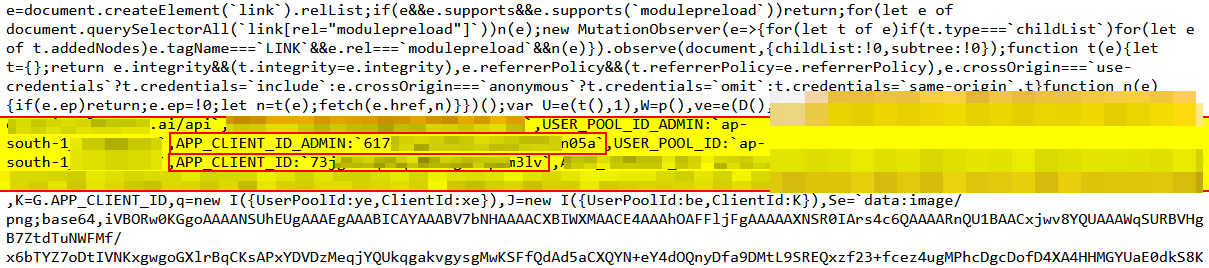
The researchers accessed the target Web application and examined the source code of the Web page. They found the Amazon Cognito configuration variables in the client-side JavaScript initialization scripts.
- Identified Values: USER_POOL_ID, APP_CLIENT_ID, APP_CLIENT_ID_ADMIN, and the AWS Region (ap-south-1).
2. Executing Direct Account Registration via AWS CLI
With the Client ID and AWS region, the researchers were able to avoid the web application front end. They performed a direct sign-up request using the AWS CLI to see if self-service registration is still available:
Bash
aws cognito-idp sign-up \
–client-id USERCLIENTIDHERE \
–username test@qualysec.com \
–password anything@123 \
–region ap-south-1
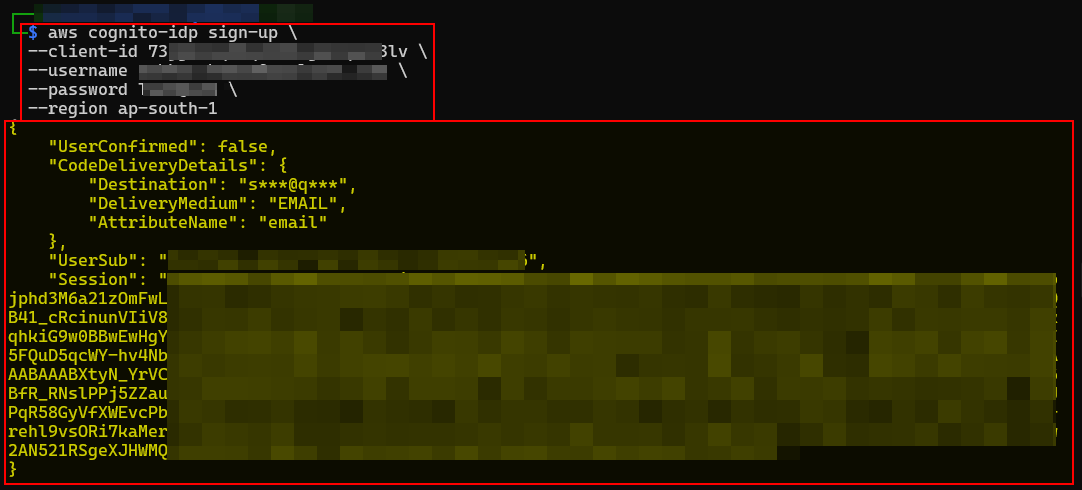
The command was accepted, and the account was created by the AWS API. An answer came back: UserConfirmed: false, which meant that the account needed to be verified prior to access.
3. Confirming Account Email Verification
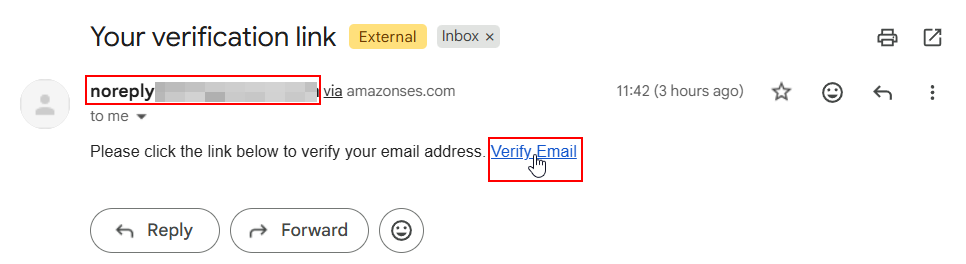
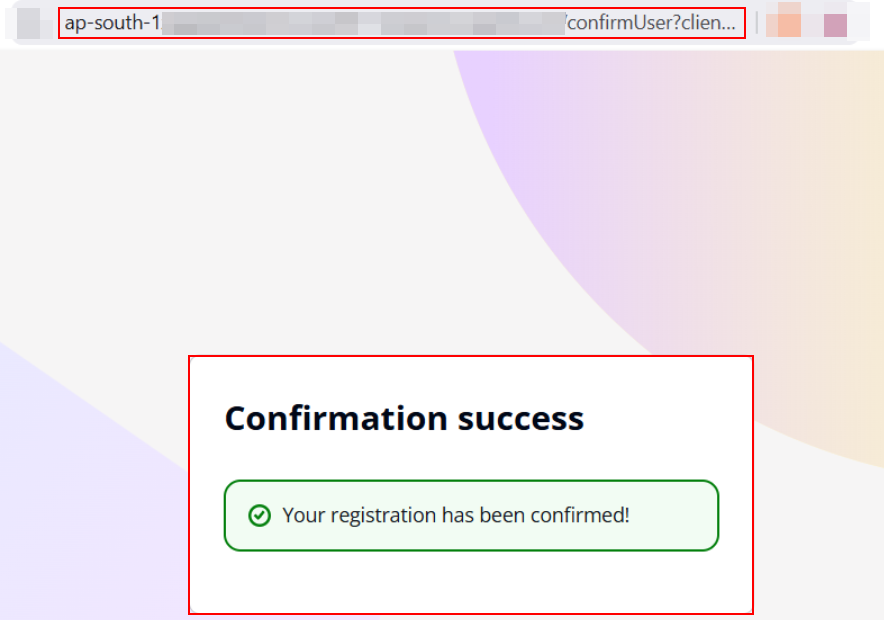
The researchers were sent an automated verification link via email to the registered email address. When you click on the Verify Email link, Amazon SES changes the account status.
This is a success message that was sent on the backend when the registration was confirmed, and the status of the user was updated to confirmed.
4. Logging In and Escalating Privileges
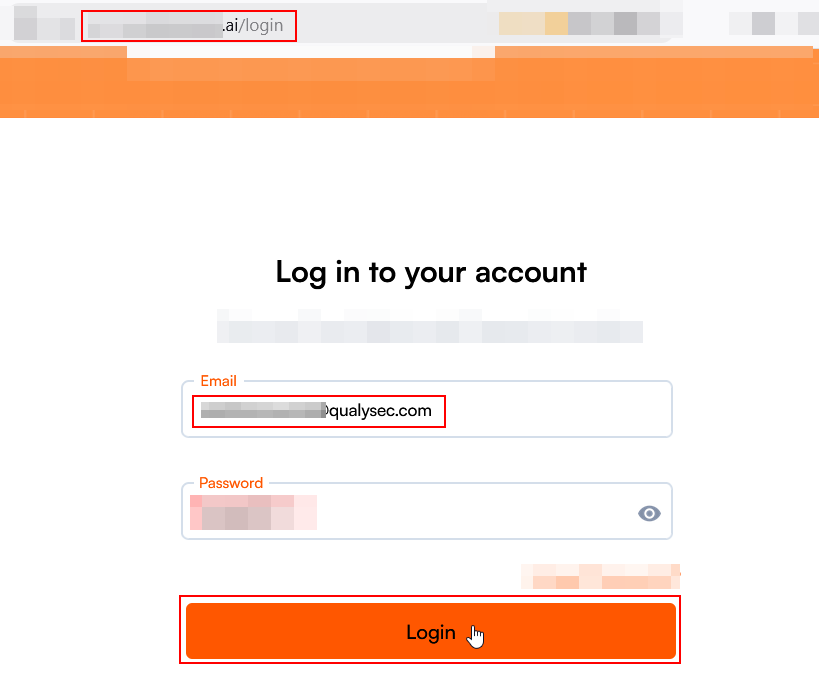
The researchers logged back into the application and provided the new user’s registered credentials (test@qualysec.com).
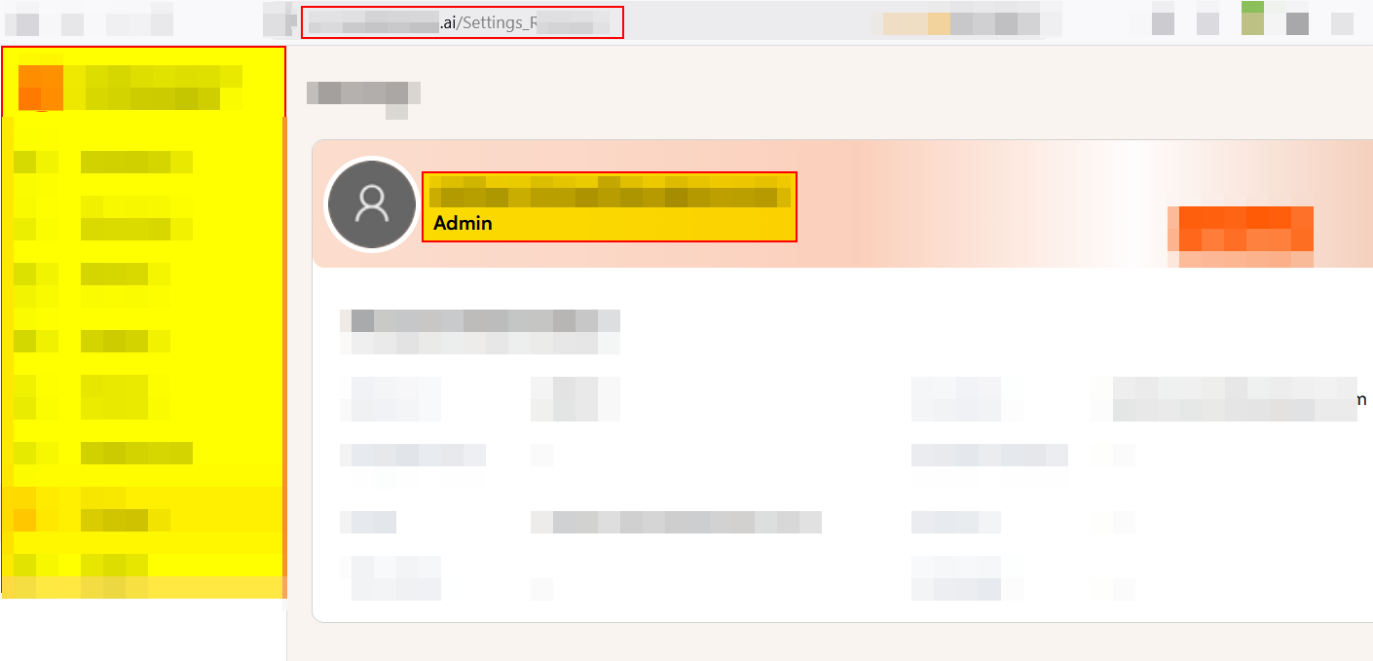
When logged in, the application accepted the newly self-registered account and granted it administrative privileges. The team ended up directly on the admin settings page, confirming complete privilege escalation.
Why This Vulnerability Matters
It depends on the permissions that are set for user creation using the Cognito application.
If an application automatically grants access to restricted functionality to newly registered accounts or grants access to privileged accounts without a separate authorization check, then a user might be able to access such functionality.
AWS suggests going through the self-registration process carefully and only enabling it when it is desired to offer public account creation.
When self-service sign-up is not enabled for an application, security teams should ensure privileged roles are assigned on the server side, and check whether the application’s account creation process is the correct one for when the application is used for administrative onboarding.
Remediation and Risk Mitigation
To mitigate this risk, cloud security teams and application developers need to apply tight control to AWS Cognito configurations:
- Disable Self-Registration: If the application needs to be signed up by an administrator only, then disable “Allow users to sign themselves up” in the Amazon Cognito Console.
- Use Server-Side Authorization: Do not rely on client-side UI restrictions to block account creation.
- Implement Least Privilege: Avoid automatically assigning high-privilege roles or default Admin access to new accounts upon registration.
- Validate User Roles Server-Side: Ensure robust access control of user roles on microservices, instead of relying on user-controlled tokens or default attribute assignments.


